ORANGE COUNTY, CALIFORNIA949.254.5550
HOMEVIEW × ARVENZA · ORANGE COUNTY

HOMEVIEW.
YOUR HOME.
CONNECTED.

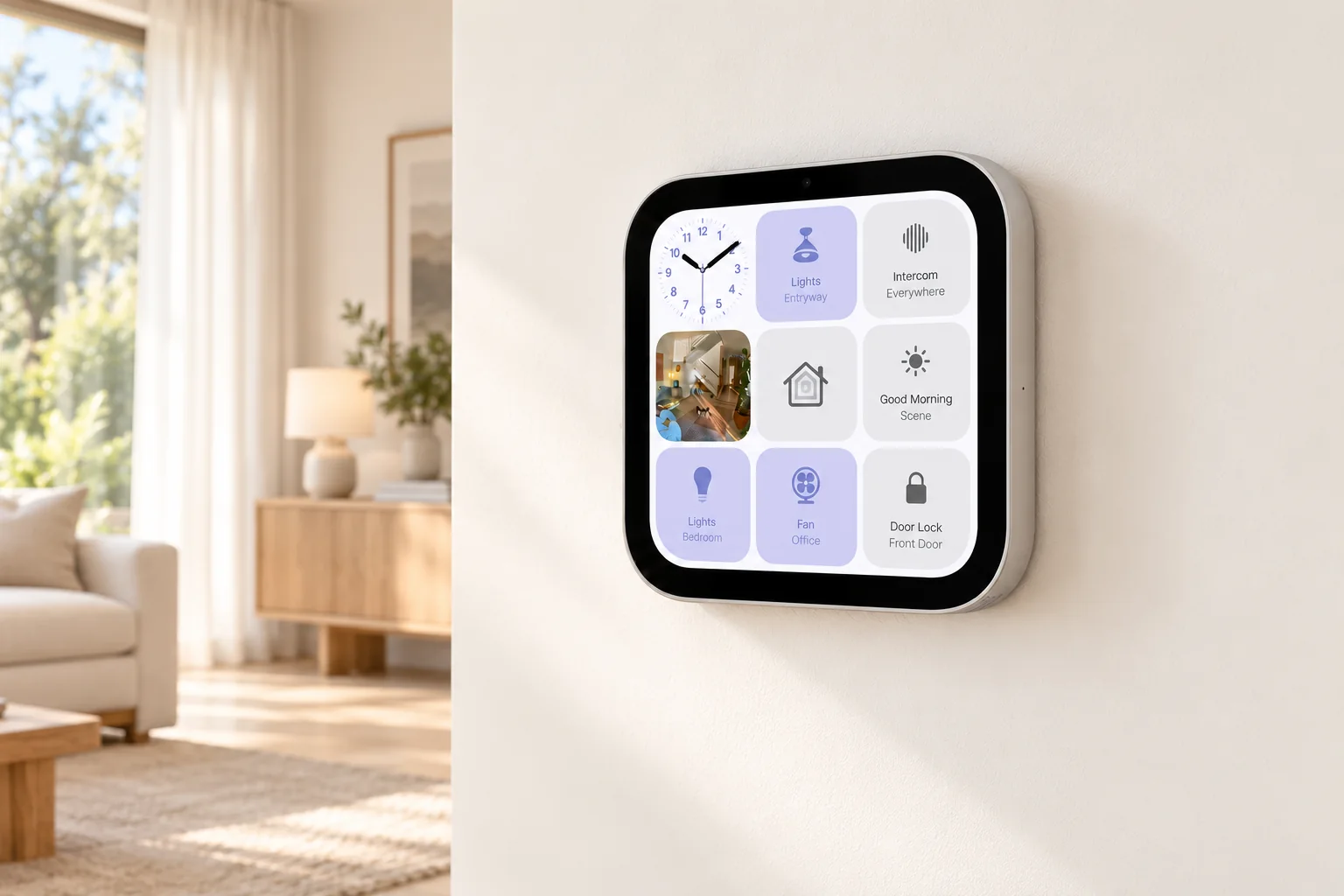
Bring your home together around HomeView. We plan placement, compatible devices and everyday scenes—from one room to the whole home, here in Orange County.

Lighting · Curtains · Security — starting at $599
See our work

Announced October 13 · U.S. availability November 13, 2026.

One room or a whole-home plan. Start where it matters to you.

Wall-mounted HomeView beside linen curtains and soft daylight
Placement and setup, planned around your home.Official product details

A SMART HOME, AT YOUR PACE

Start with a room.
Connect your home.

A smarter home starts with everyday life. Make one useful change, connect the routines you love, then build from there.

  1. 01

    Choose your first upgrade.

    Easier daylight and privacy. Lighting that feels right. Or better control of devices you already own. Start where it matters to you.

    Curtains · Lighting · Existing devices
  2. 02

    Bring the room together.

    Connect compatible curtains, lights and controls around your routines—morning light, a quiet evening or movie time.

    Morning · Evening · Movie time
  3. 03

    Grow across your home.

    Plan entry, garage access, comfort and Wi-Fi together. Add what helps, keep what works and expand at your own pace.

    Entry · Garage · Comfort · Wi-Fi

One room now, or a whole-home plan from the start. We’ll help you choose the right first step.

THREE WAYS TO START

Your smart home starts here.

Three practical starting points, each from $599. Choose what matters now, then connect more of your home at your own pace.

LIGHT FOR EVERYDAY LIVING

Smart Lighting

Starting at $599

Set the mood for reading, relaxing and movie time. Start with compatible lighting and controls that fit the way you use your room.

Entry-level setup. Device selection, quantity, setup and any electrical work are itemized in your estimate.

Explore this service

DAYLIGHT & PRIVACY

Motorized Curtains

Starting at $599

Let the morning in and close the day with ease. Start with one motorized window, then bring curtains and lighting into everyday scenes.

One straight track, motor, standard installation and basic setup. Requires compatible existing curtains, accessible mounting and nearby plug-in power. New fabric and any required hub are extra.

Explore this service

ENTRY & AWARENESS

Smart Security

Starting at $599

Make coming home simpler and see what matters. Start with compatible smart locks, video doorbells or cameras for your home.

Entry-level setup. Device selection, quantity, mounting, power and any recording subscription are confirmed in your estimate.

Explore this service

Starting prices apply to an entry-level configuration for each service. Final devices and installation scope are confirmed before work begins. Additional devices, HomeView, specialist work and taxes are extra.

01 / INSTALLATION & CONTROL

INSTALLED.
CONNECTED.

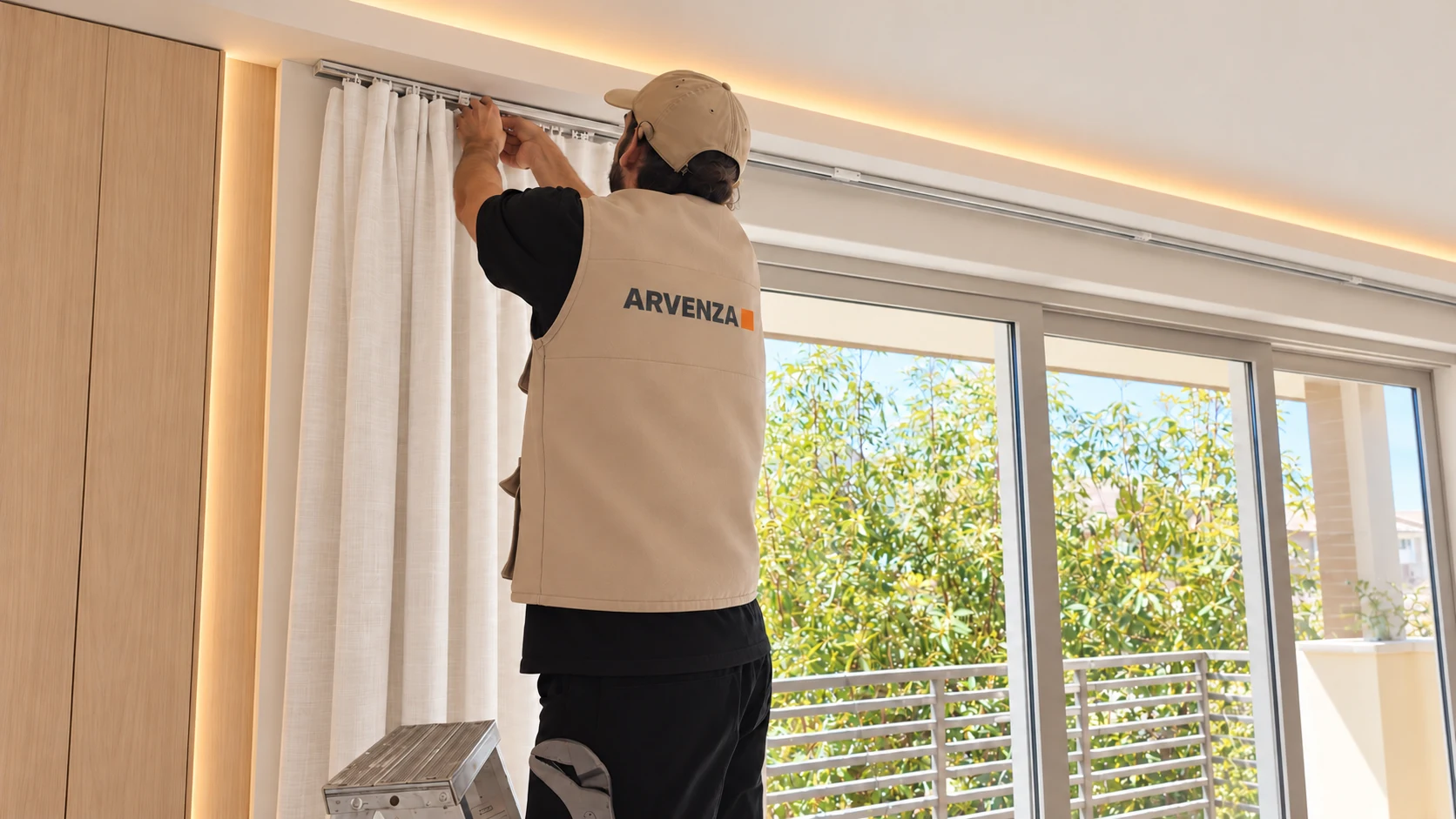
From fitting the curtain track to everyday control in Apple Home. Explore curtain installation and our recorded demo, then see the project photos.

ARVENZA installer fitting curtains01 / INSTALLATION

Care in every detail.

Curtain fitting and track installation

“Hey Siri, open the curtains.”

Apple Home screen recording · 16 seconds · no audio

View real installation photos

HOMEVIEW, MADE AT HOME

A new screen.
A plan for your home.

Apple announced HomeView on October 13, with U.S. availability from November 13. ARVENZA helps Orange County households plan the placement, connections and everyday setup around it.

Where would you put yours?

At the center of everyday life.

Place it on a kitchen counter, side table or bedside surface. No mounting installation is needed; we can help with Wi-Fi, compatible devices and everyday scenes if you need it.

Optional setup help · No mounting installation needed.

WHAT WE’LL PLAN TOGETHER

Power & cables
Check the outlet location and plan a tidy cable route.
Network
Review Wi-Fi coverage at the chosen spot and how your existing accessories connect.
Position
Check screen visibility, everyday reach and space around the device.
People & permissions
Review household access, personal setup and the scenes you want within easy reach.

Send a photo of the space and a list of the devices you already own. We’ll start there.

APPLE’S U.S. RELEASE SCHEDULE · 2026

  1. OCT 30HomePod mini 2

    Speaker

  2. NOV 13Apple HomeView

    Tabletop + wall-mounted

  3. NOV 13Apple TV 4K

    4th generation

  4. FROM DECApple Home Collection

    Some accessories in early 2027

Before choosing devices: languages, accounts & subscriptions
Setup
Initial setup and multiuser features require a compatible iPhone or iPad running the latest software.
Language
HomeView’s Siri AI launches in English as a beta. Chinese-language Siri AI support is not announced for launch.
Personal features
Personal-context requests need a paired Apple Intelligence-capable iPhone or iPad with compatible software and Siri AI enabled.
Camera features
Recording and supported camera AI features need an eligible iCloud+ plan. Video summaries also require compatible Apple Intelligence setup; camera limits vary by plan.
HomePod mini 2
Siri AI is scheduled for a later software update.

Official Apple announcements · Checked October 13, 2026 · HomeView · HomePod mini 2 · Apple TV 4K · Home Collection

MATTER × APPLE HOME

More brands.
One connected home.

Apple Home

Bring compatible lights, shades and locks from different brands into Apple Home. We check the models, hubs and available features, then plan how they work together.
About Matter

THE WHOLE-HOME PICTURE

YES, WE THINK
BEYOND THE BASICS.

Start with one room or connect more of your home. Explore the work behind each category.

Shades & curtains

A better start to the morning.

Plan motorized curtains and shades around your windows, daylight and daily routine.

WHAT WE REVIEW

  • Measurements, track layout and mounting conditions
  • Motor choice, power and exact model compatibility
  • Agreed controls and morning or evening scenes

Support varies by exact model, firmware and connection method. We confirm the available features and installation scope for your project.

INSIDE THE ARVENZA HOME

WE LIVE WITH
THIS STUFF.

Our hands-on experience starts at home. We have personally installed devices across Apple Home categories in our own home.

That experience informs the questions we ask about your devices, rooms and routines—and the details we check before recommending a setup.

Our own homePersonally installedModel-by-model planning

FROM IDEA TO EVERYDAY

A CLEAR PLAN.
THEN WE GET TO WORK.

Start with one room or agree on a phased plan for the home. Know what is included before installation begins.

01

A considered plan

Window measurements, mounting positions, power and Wi-Fi coverage, reviewed around the way you use each room.

02

A clear proposal

A keep-or-replace plan for existing devices, with hardware, our work and any specialist trades priced separately.

03

A usable setup

Curtain, lighting and supported device controls brought into the agreed scenes, with practical checks together.

04

A practical handover

Household access, everyday controls and a walkthrough for the people who will use the home.

Ongoing support, extra visits and specialist trade work are agreed in the proposal.

YOUR HOME, NEXT

LET’S MAKE
HOME WORK
FOR YOU.

Tell us what you want to improve and where to reach you. We’ll review the project with you and confirm the scope and estimate before installation.

  • Whole-home projects scoped individually
  • Compatibility checked before purchases
  • Orange County homes and design projects

Prefer a quick conversation?

Text (949) 254-5550Call ARVENZA

Irvine · Tustin · Newport Beach · Costa Mesa and surrounding Orange County communities

Get your project estimate.

Choose a service and leave one contact method. Photos can follow by text.

Setup request: HomeView — setup planning

Add project details (optional)

No payment or budget decision needed.

BEFORE WE GET STARTED

GOOD QUESTIONS.

Your project information

We use the details you submit to assess and respond to your project. Inquiries are stored in our website database and forwarded to our existing Formspree contact service. Campaign tags help us understand which ads lead to inquiries. We don’t collect payment details here or enroll you in marketing. Contact [email protected] about access, corrections or deletion.

[email protected]